### WCPUNL Beta 6.4
* Minor internal changes relating to subtitles.

### WCPUNL Beta 6.3
* Video processing moved into it's own thread to reduce stuttering at lower framerates.

### WCPUNL Beta 6.2
* Fixed video not working on Windows 10.
* IoEvent enumeration updated so movies exit correctly in all exit situations.
* Better handling of loading and decoding errors so the fall-back player will be used instead of a blank screen.
* Non square pixel aspect ratios correctly accounted for (VOB files are 704x480 at 10:11 aspect ratio = 640x480).
* Movies now play at their native resolution or the resolution specified by the GL, whichever is smallest.  Previously always tried to match the GL settings.
* Subtitles decoupled from framerate, now uses movie sequence clock time.
* Corrected small error in subtitle font settings.
* Added De-interlacer for interlaced VOB files.
* Double frame rate for interlaced VOB files, blending of field 0 and field -1, as well as field 0 and field 1.
* Movie Player can be disabled via ini setting.
* Read Me updated with a section for description of all INI settings.
* New INI settings will appear in your wcpunl.ini after running the game for the first time after update.

### WCPUNL Beta 6.1
* Support for both CD and GoG installations using the prophecy.exe supplied in this package.
    A CD check is done, if no CD is found a local file check is performed.  If no local files found, Change CD screen will appear.

### WCPUNL Beta 6.0
* Fixed memory leak in the new Movie Player
* Turret barrel fire respects wcpunl.ini setting again
* File loading priority changed so directory has priority over tree file (no need to patch data.tre anymore)

### WCPUNL Beta 5.2
* Fixed spaceflight music not restarting after an in-flight cutscene (last mission).

### WCPUNL Beta 5.1
* ODVS's HD and original DVD movie support. Added to Prophecy only.
* Many thanks to Pedro for testing and updating the OpenGL to take full advantage.


### HD and DVD Requirements

Download ODVS's Prophecy HD Video Pack or the original DVD Movie
Pack from the www.wcnews.com Resources/Patches page and extract
into the 'movie' folder within WCP's root folder.

Ignore instructions to install the DVD Movie Upgrade Patch as
this seems to be having problems with more recent Windows
(hence this update).

ODVS's HD Video Pack:
        Seems to work straight away with no additional codec packs
        installed. Tested on a fresh install of Windows 11 N 25h2
        with Media Feature Pack added (required to play WCP and SO
        on N and KN versions).

DVD Movie Pack:
        1. Download and install MPEG2 free from the Microsoft
           store. https://apps.microsoft.com/detail/9N95Q1ZZPMH4
        2. Windows 11 24h2 and later fresh install, install the
           Windows Dolby Audio package. (included)

* No overlay window is created, no need to match resolutions.  Uses existing GL movie function.
* Movies will work in the original Software, Direct3d and 3Dfx Glide modes.
* Movies will work in the OpenGL 1.2 and earlier, not filling wide-screens.
* Movies will work in the OpenGL 1.3 and later, fills wide-screens.
* Gamma Correction, Show Movies and Subtitles in game options work.
* Even Interlaced Video will work in the original modes for a retro look!


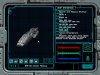
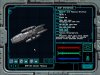
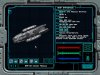
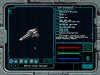

 . It's funny that while the Battlestar definitely has its own unique style, that fighter (whose name at the moment evades me) really just needs a Confed star to sit alongside a Ferret. Wouldn't look out of place at all. And that's not even mentioning the Razor...
