G4 X-Play Recognizes PC Acting (June 4, 2006)

ChrisReid

Super Soaker Collector / Administrator
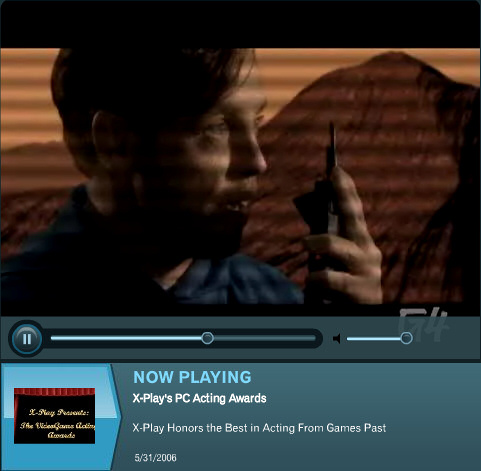
The G4 X-Play video game television show broadcast a skit last week that looked back at a few famous/infamous PC games that featured live-actor FMV. Their sense of humor is pretty corny and the clip isn't very serious, but a spot on this subject wouldn't be complete without Wing Commander in there somewhere. Command & Conquer also features prominently. Red Alert 2 wins the first award, and the subsequent WC footage is from Wing Commander 3. You can check out "X-Play's PC Acting Awards" under 5/31/06 Recent Videos here. This direct link might work too. If anyone knows how to save something like that, let me know. Thanks for Vance Bennet for spotting this one.

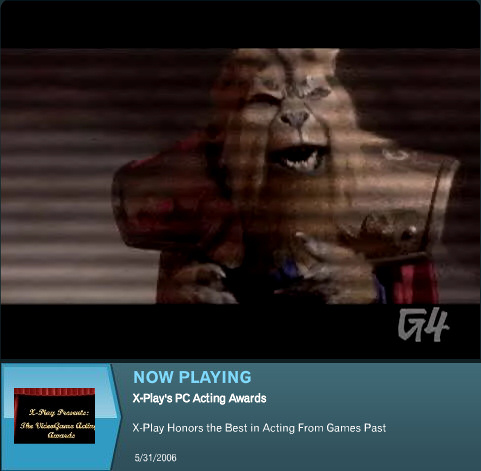
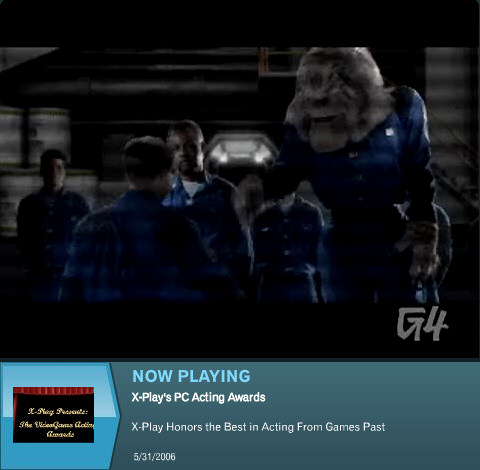
The Best Reuse of a Prop Award goes to... Wing Commander. I'm not actually sure if these are from 'Lion King the Musical', but perhaps the muppets have fallen on harder times than Mark Hamill. Either way, in the world of video games, you can't do much better.


--
Original update published on June 4, 2006
 
Last edited by a moderator:
Blair lost against Sly Stallone? Well, it hardly surprises me. At least we made the day with the Lion King props.

As to saving it, I tried screen capturing, but I can't get the audio - I guess it's my onboard card's fault. Maybe someone else has more luck.
 
I would think it possible to save the complete Shockwave file to disk if it's server location could be isolated, but the applet appears structured in such a way as to prevent direct downloads. Looking at the HTML source doesn't seem to reveal anything useful, but no doubt a trivial solution exists.

Camtasia is quite a robust screen capture programme that allows the entire desktop, windows, fixed regions or custom areas ( all with audio) to be captured to disk in realtime using a variety of codecs. Unfortunately my system can only manage to capture the shockwave video at <5fps -- playback alone of just the shockwave file pulls ~60-75% CPU utilisation on my PC. If anyone has a fairly beefy (perhaps dual-core) system and wants to try capturing it, there is a 30-day, fully-functional trial of Camtasia Studio here.

While Shockwave videos are self-contained and will play provided you have the latest Shockwave Player installed, I believe that Shockwave videos use On2's VP6 codec, so if a direct download of the shockwave file is possible one could perhaps further extract the VP6 stream and then convert it to DivX or similar -- a convoluted process that would likely involve using Macromedia's authoring tools.
 
Here's a quick sample I encoded using Camtasia:

G4TV XPlay VideoGame Acting Awards Sample (5.11MB XviD / 0:39s)

I used Techsmith's Lossless codec (included with Camtasia) set to fastest (i.e. minimal compression - less CPU draw) and then converted to XviD using VirtualDub. The framerate was set to 25fps, but only achieved 5-15fps due to the large CPU draw that the Shockwave player puts on my system.

Someone with an optimised system and recent processor (e.g. 2GHz+ Athlon64/X2 or 3GHz+ Pentium 4/Dual-core) would likely be able to encode the clip in realtime without dropped frames. I don't have it installed, but Microsoft should have a Windows Media Encoder toolkit on their site somewhere which has a pretty good screen capture codec, which might also be worth trying.

Cheers,


BrynS
 
FileFront gives me an error about 'no download server available' when I go to that link.
 
Everything appears to working when I access it -- I've downloaded the file a couple of times now from different PC's on my LAN -- perhaps all the servers were busy at the time? Have you had problems with FileFront before?

I can't seem to download files from Rapidshare, I think due to the setup of my router and the way RapidShare handles dynamic IP's, so maybe that has something to do with it if you connect through a router/gateway and have had prior access problems with FileFront?

I've uploaded it to another file host here.

Let me know if there is still a problem. :)
 
Firstly, apologies for the belated thread revival -- been meaning to look into somehow getting a copy of the X-Play media for the CIC archives for a while. :)

I've spent some time today trying to extract and then convert the above Flash video file from G4 X-Play and after some initial hurdles, have made some progress. I tried numerous freeware and shareware Flash recorders (I suspect many are riddled with adware, although I will doing a full OS install and HDD partioning this weekend, so they should be purged :p ) resulting from some googling, to no avail.

I then decided on a more direct route and with URLSnooper2 I managed to locate the original FLV file on X-Play's servers and download it. The file (34.1MB FLV - 480x360) can be found here: http://media.g4tv.com/videoDB/011/592/video11592/xp6059pcactingawards_flv.flv

I've also mirrored and renamed it appropriately here: http://files.filefront.com/G4_X_Play_PC_Acting_Awards_FLV/;5227597;;/fileinfo.html

To play these files you need to download an FLV player -- I'm currently using FLV player ver.1.0.2 by Martijn de Visser, but all of those indicated at the site should play the file. I've also converted (using Geovid's shareware Flash to Video Encoder) the FLV file to Xvid (interoperable with the DivX codec) for those who don't want to install an FLV player, although there is a slight degradation in video quality -- the FLV version is quite a bit sharper.

The Xvid version (480x360, 33.87MB) is available here.

Enjoy! :D

Cheers,


Bryn
 
Back
Top