

ChrisReid
Super Soaker Collector / Administrator
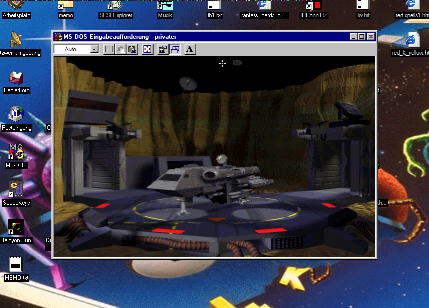
Right after I upgrade to XP, the Wing Commander community goes and figures out a way to get the original Wing Commander Privateer running in Windows 9x/ME. As long as I've been doing Wing Commander stuff online, people have wanted to play P1 in Windows. Until this historic day, we've always told them there was absolutely no way. Karl Frank tipped us off about Ross Ridge's work into simulating the JEMM environment in Windows sufficiently for Privateer to run. Execution is simple. Unzip the downloadable to the Privateer directory and go. Check the readme file for details. So far this has only been tested with Privateer CD (and Righteous Fire), but it may work for other versions or games, though with mixed results. Sound compatibility issues seem to be a problem, but with some work many problems can be fixed. It's still very much a work in progress kind of deal, but this is great news for people who've been nostaglic for some good old Gemini Sector action! You can find Ross Ridge's JEMM walkthrough page here. His server has been experiencing some problems, so the page might not be up right now. It's worth a bookmark to check later. We've mirrored his MyJEMM file here just in case.
--
Original update published on April 14, 2003
It even introduces support of USB joysticks and certain previously Windows only soundcards! Download MyJEMM here.MyJEMM is a public domain utility for running the game Privateer
under Windows 95, Windows 98 and Windows ME. It does not work with
Windows NT, Windows 2000 or Windows XP. MyJEMM works by emulating
under Windows the JEMM memory manager used by Privateer...
--
Original update published on April 14, 2003
Last edited by a moderator: